How to Play
Overview
MadDraw is a drawing-based psychological party game where players are split into the Parent (who sets traps) and the Children (who draw).
Children must draw a picture that satisfies every card currently on the field.
The Parent tries to set clever traps that look drawable, but are just hard enough to fail.
Once the drawings are finished, an AI judges each card as “satisfied” or “not satisfied.”
Each Child draws independently (3-5 players recommended).
How to Start a Game
As Host
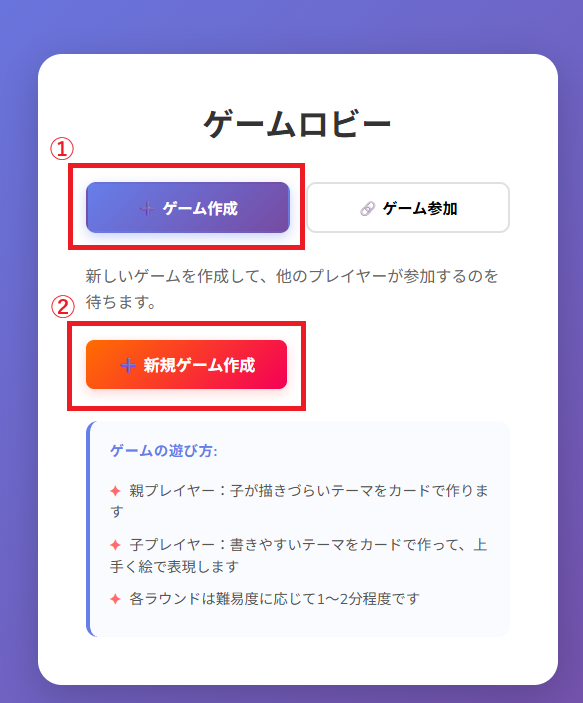
In the lobby, choose "Create Game" and then "Create New Game."
A room code will be displayed.
Share that game code with other players so they can join.
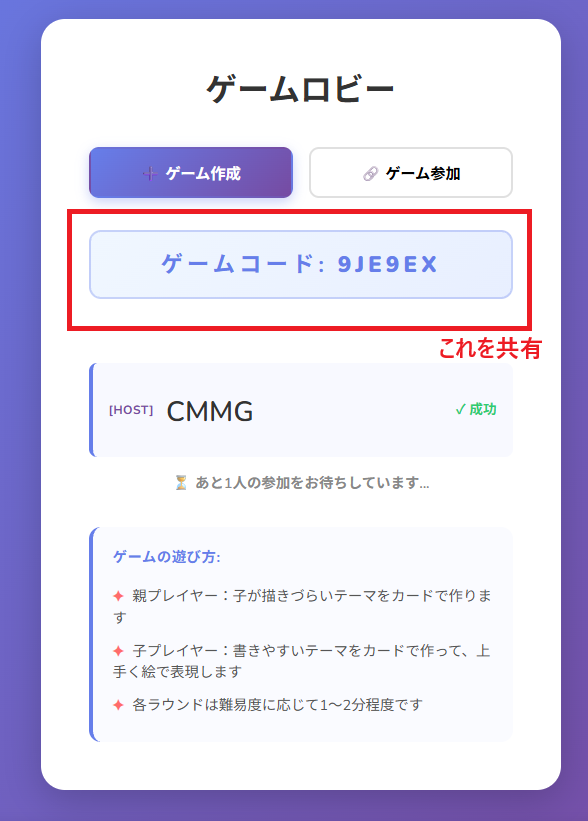 Once two or more players have joined, the Start Game button becomes available.

As Guest
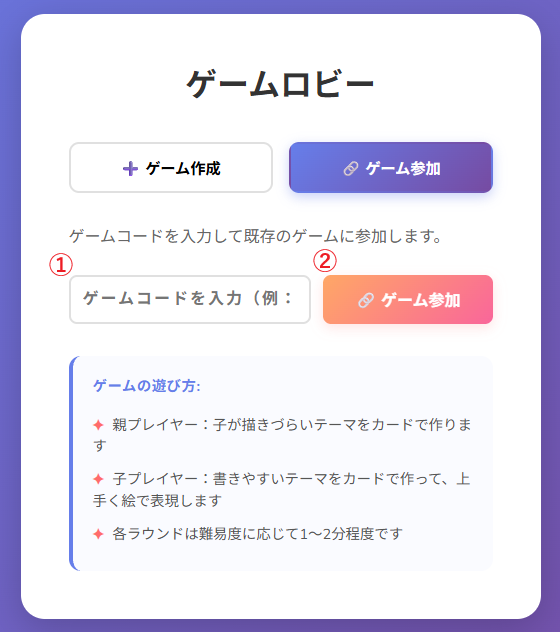
In the game lobby, choose "Join Game" and enter the game code shared by the host.
Then select "Join Game" to enter the room.
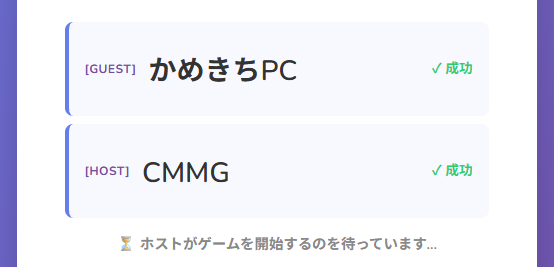
 Wait for the host to start the game.
Card Types
There are four types of cards. The field always has exactly one of each type (4 cards total).
- Noun The subject to draw (e.g., dog, robot, boy)
- Adjective Traits or qualities (e.g., big, small, beautiful)
- Verb Actions or states (e.g., running, sleeping, dancing)
- Location Background or setting (e.g. in a forest, in space, in a park)
Note: The field always has one card per slot. When you play a card, you must overwrite the matching type slot.

Card Difficulty (★)
Every card has a difficulty rating ★ (maximum ★ = 3).
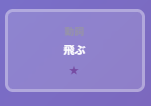
- More ★ = harder
- Fewer ★ = easier
The Parent’s score uses ☆ (ease value), calculated as:
Hand
Each player always holds the following 4 cards:
- Noun ×1
- Adjective ×1
- Verb ×1
- Location ×1
Only cards used during the round are replenished from the matching deck.
Unused cards stay in hand. You always keep exactly one of each type.

Round Flow
One card is drawn randomly from each deck and placed on the field (4 cards total).

Starting with the Parent, every Child takes one turn in order.
• Choose a card from your hand and overwrite the matching slot
• Or Pass
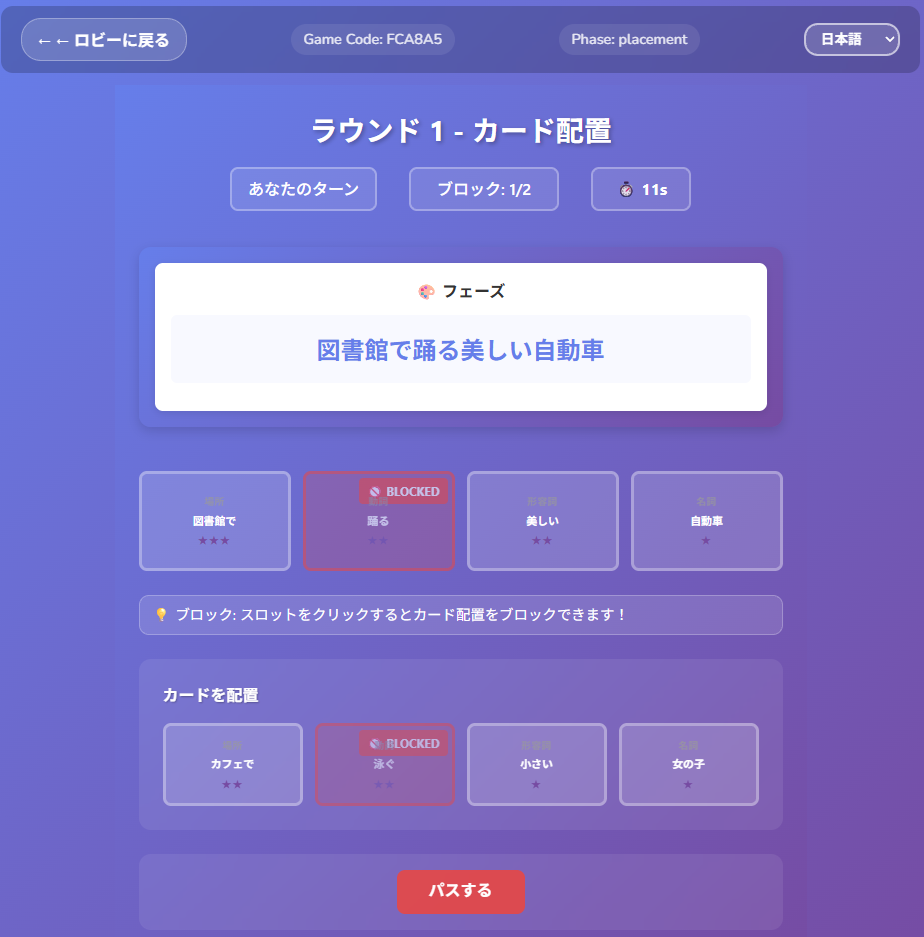
The Parent chooses one card from hand and overwrites any slot face-down.
Children start drawing without knowing its content.

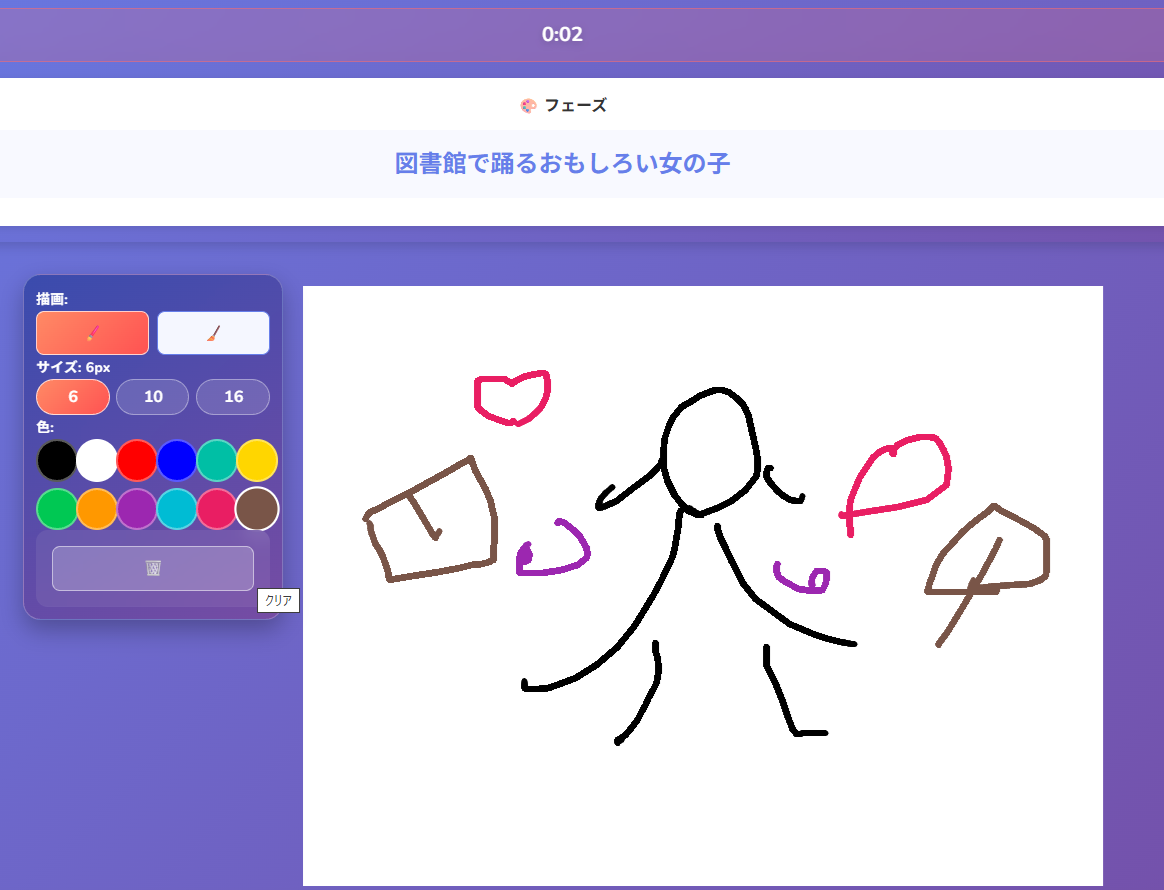
Draw a picture that satisfies all cards on the field within the time limit.
Halfway through the timer, the face-down card is revealed.
After the reveal, you may adjust your drawing for the remaining time.
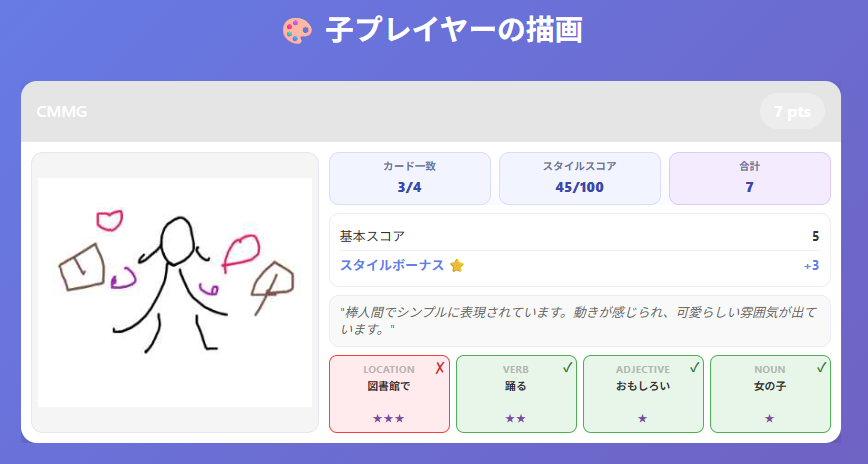
The AI evaluates each card as satisfied or not and calculates scores.
Scoring Rules
Children’s Score
Sum of the ★ values of the cards you satisfied.
If you satisfy all conditions, you gain an individual +3-point bonus.
In addition, the player judged to have the best drawing receives another
+3-point bonus.
Note: "Best drawing" is decided by AI evaluation. If two players tie, both receive the bonus.
Parent’s Score
Total ☆ of the cards that Children failed to satisfy,
then divided by the number of Children and rounded up.
Example: if the total ☆ is 5 and there are 3 Children, 5 ÷ 3 = 1.666..., so it rounds up to 2 points.
If every Child satisfies all cards, the Parent scores 0 points that round.
The Parent’s skill lies in crafting prompts that are "almost drawable, but not quite."
Winning the Game
The game ends after every player has been the Parent once.
The player with the highest total score wins.
Number of Players
Recommended for 3–5 players.
Regardless of player count, the field always has 4 slots (one of each type), and every player gets a chance to
overwrite or pass.
Controls
Main in-game actions are listed below:
- Check your hand: Your 4 cards are displayed at the bottom of the screen.
- Overwrite: Tap a card in your hand, then select the matching slot on the field to overwrite it.
- Pass: Press the "Pass" button to end your turn.
- Draw: Draw freely on the canvas with your finger or mouse. Tools for erasing, color changes, and clear are available.
- Submit: Press the "✅" button within the time limit to submit. Your drawing is automatically submitted if time runs out.
Tips & Strategy
How to Play as Parent
The basic approach is to place a face-down card that looks drawable for Children, but is subtly difficult. Changing the noun often has the strongest impact, but if you overdo it, everyone may clearly fail and simply stop responding to the setup. It is often effective to watch what other players have already overwritten, then choose a card that is simple on its own but creates contradictions in the current board state.
How to Play as Child
Watch other players' overwrites carefully and adjust to avoid contradictions. Noun overwrites can dramatically change the direction of the whole drawing, so they require extra attention. If you think the current board is favorable, using a block can help preserve it. The +3 bonus points are larger than they look, so try to satisfy conditions while also drawing in a clear, high-quality way.
Drawing with AI Judgment in Mind
Draw each condition in a way that is clearly recognizable. If your drawing is too abstract, AI judgment tends to be stricter. Placing multiple conditions in a balanced composition usually improves recognition.
Final Notes
MadDraw is not just a game about drawing skill. It is a psychological battle between Parent and Children built around AI judgment. Once you learn the rules, play a few rounds and see which traps work and what kinds of drawings pass. If anything is unclear, please check the FAQ page. If you are interested in the design process and improvement history, visit Dev Story as well. Have fun.